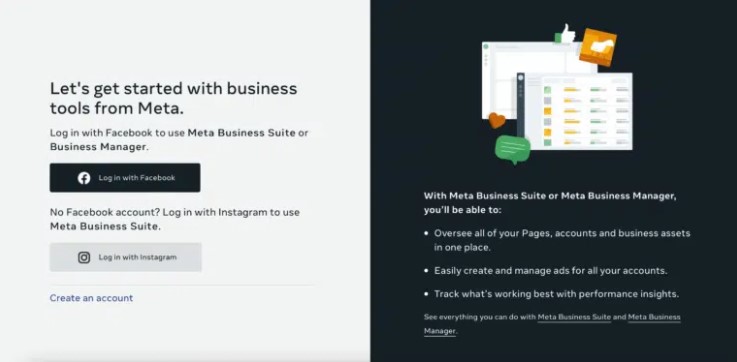
Step 1: Go to business.facebook.com (If you are not already logged in, you will come to this page here on the right. Please log in first)
Step 2: Press create account
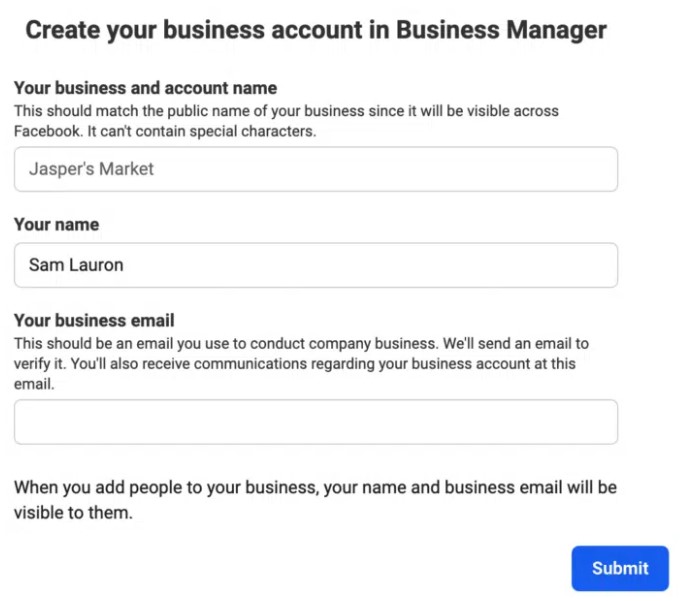
Step 3: Then enter your company details here
Step 4: You will then receive an email to confirm, then you may be asked for more information about your business such as location etc. Enter those details and your business account is ready!
Issue authorisation and complete process
Step by step:
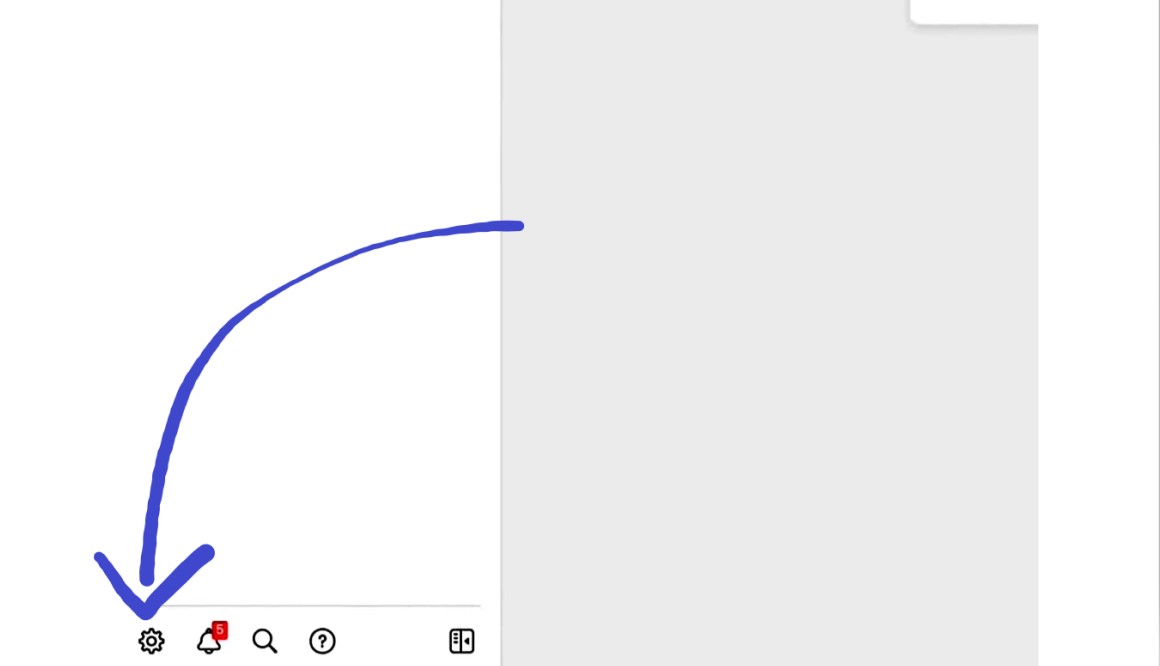
Step 1: If you go to business.facebook.com goes, you will find a cogwheel like the one shown here on the right. Click on the cogwheel
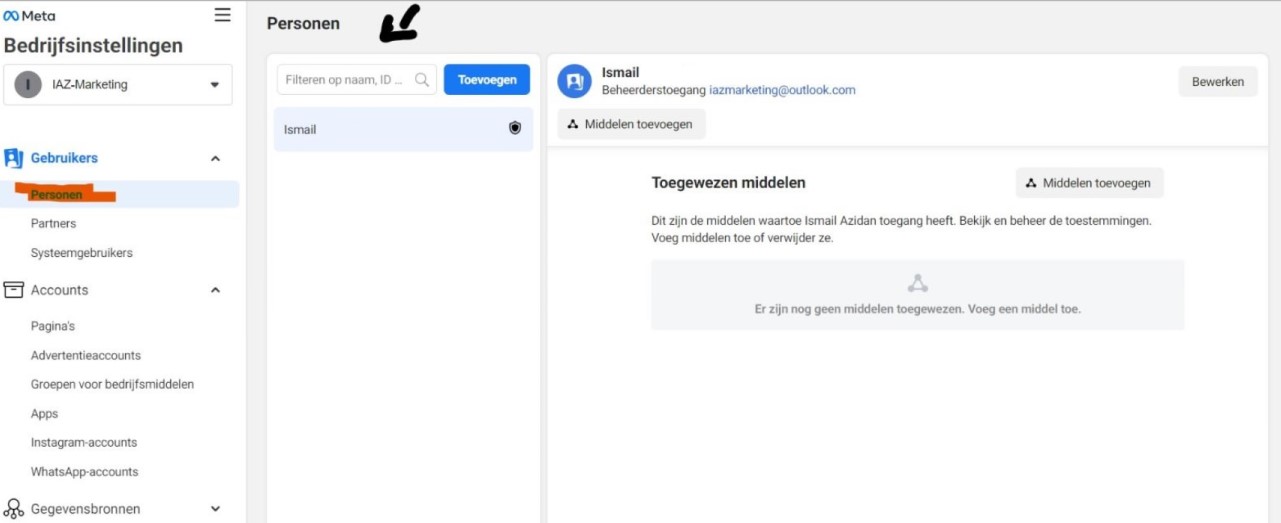
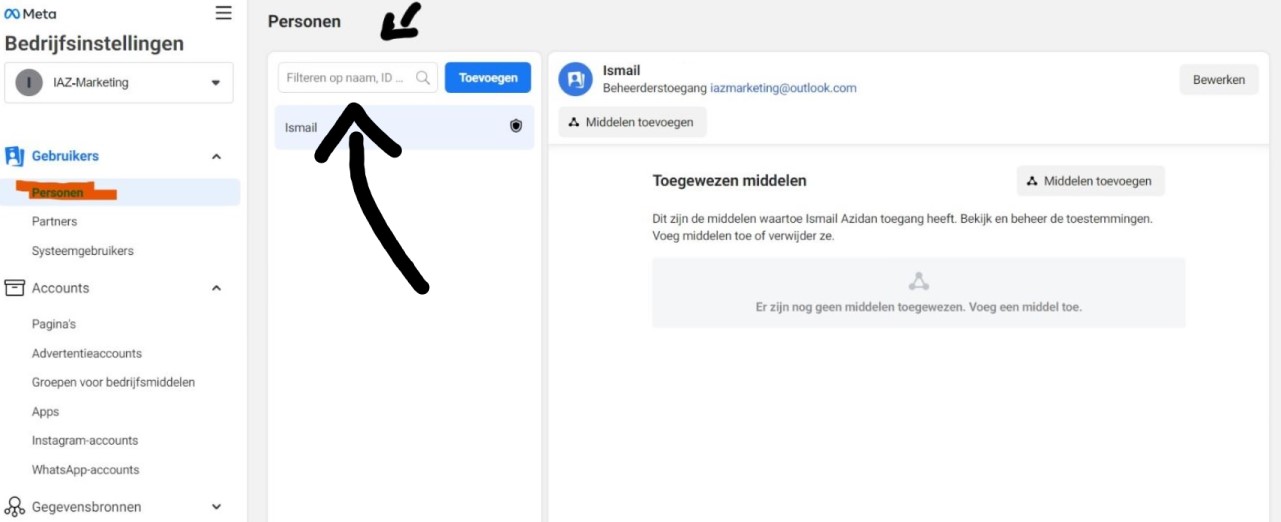
Step 2: On this page go to persons
Step 3: Go to the text box and enter: contact@iaz-marketing.nl and then press "add".
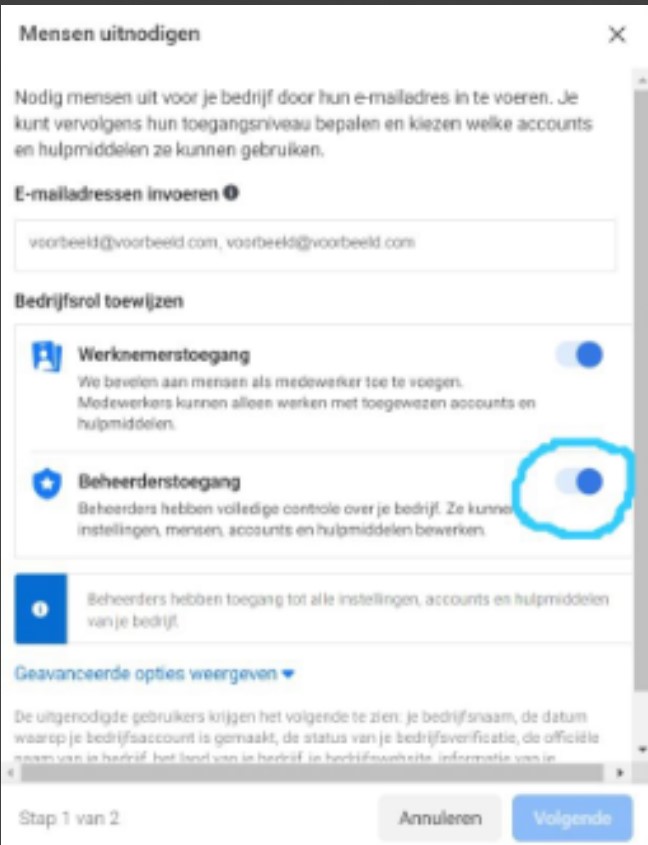
Step 4: Tick administrator access, we need this to create a page for you, and to run ads. We do not have access to your personal account. Click "Next".
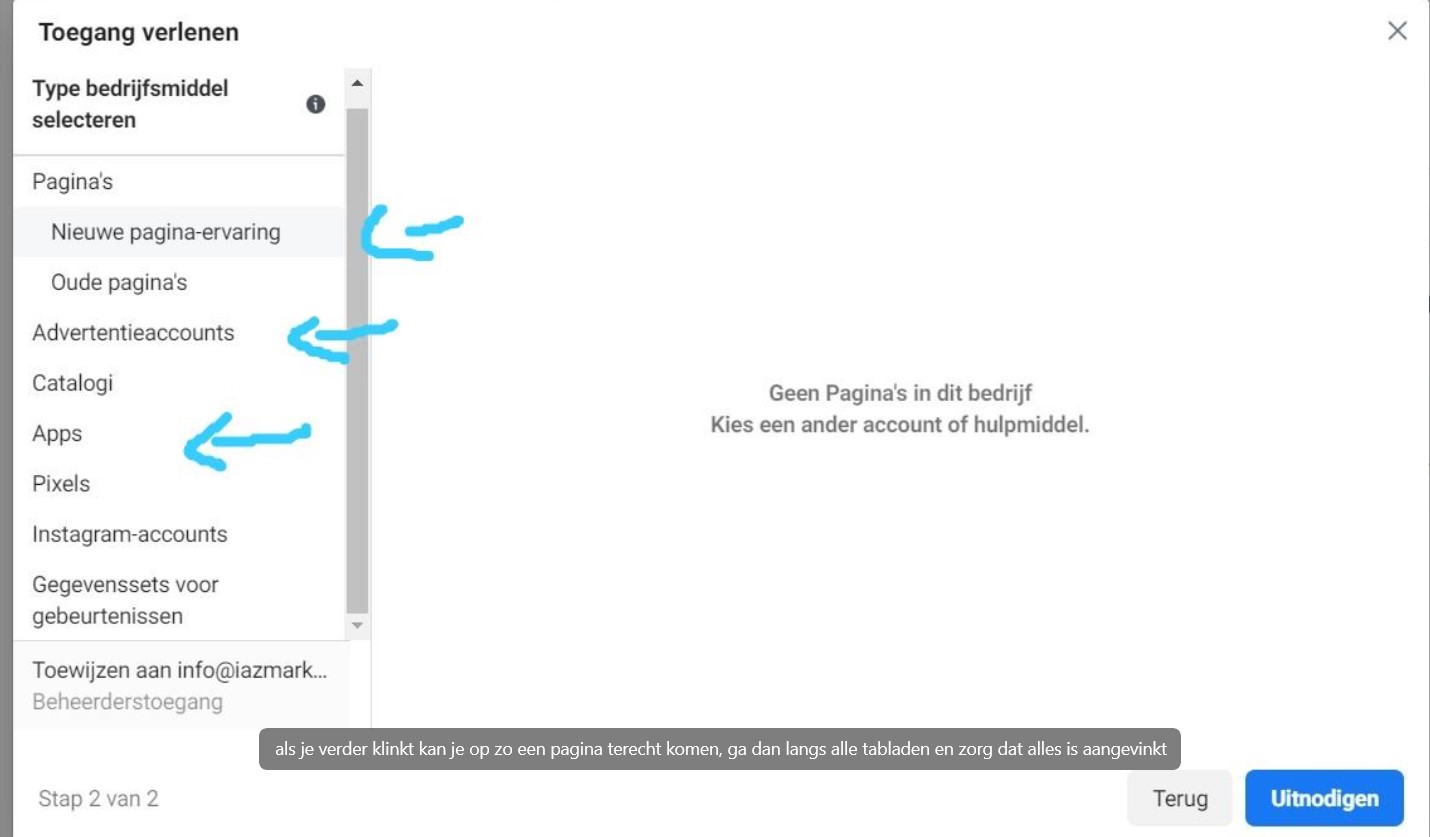
Step 5: Go past all the tabs and make sure that whether everything is ticked. Then click on "invite"
We now have access to your business account, and can start setting up ads in consultation with you.


 English
  Dutch
Dutch